
Petrol Pump App for Your Staff and Your Credit Customers
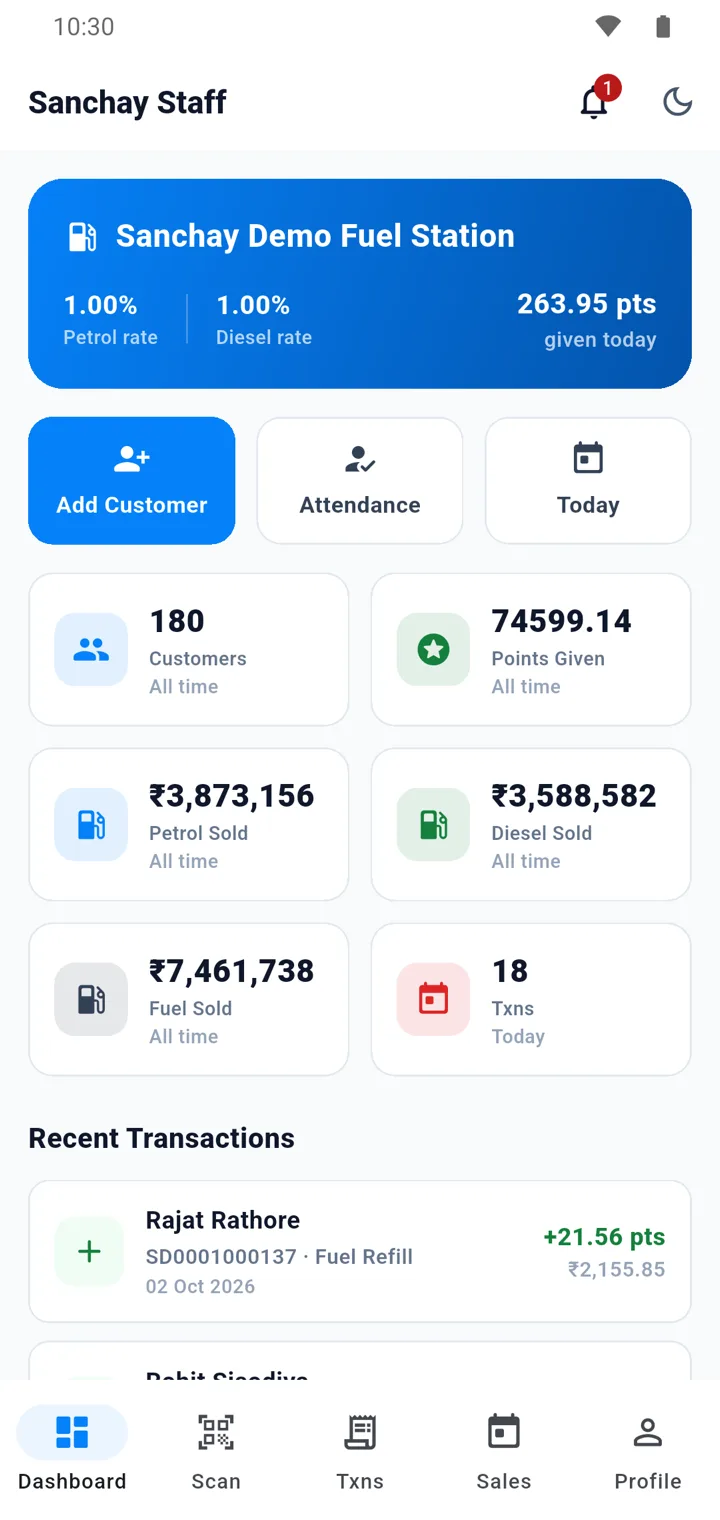
Sanchay now comes with a mobile app. Your staff mark attendance, see their nozzle and handle fuel requests. Your credit customers track their fuel, balance and vehicles — all connected to the same software.
In short
What is a petrol pump app?
A petrol pump app is a mobile app connected to the pump's management software. Sanchay has two: a staff app, where employees mark GPS and live-photo attendance, see their assigned nozzle and handle fuel requests, and a credit customer app, where customers see fuel purchased, outstanding balance, payments and vehicles, and request fuel.
- Staff app
- GPS and live photo attendance, check-in and check-out, the assigned nozzle and fuel requests.
- Credit customer app
- Fuel purchased, transaction history, outstanding balance, payments, vehicles and fuel requests.
- Login
- Credit customers log in with the mobile number registered at your pump.
- One system
- Attendance, nozzle assignments, fuel requests and credit balances in the apps are the same records the office sees.
Petrol pump staff app: attendance, nozzle and fuel requests
Your team carries the pump's work in their pocket — and every action is recorded against their name.
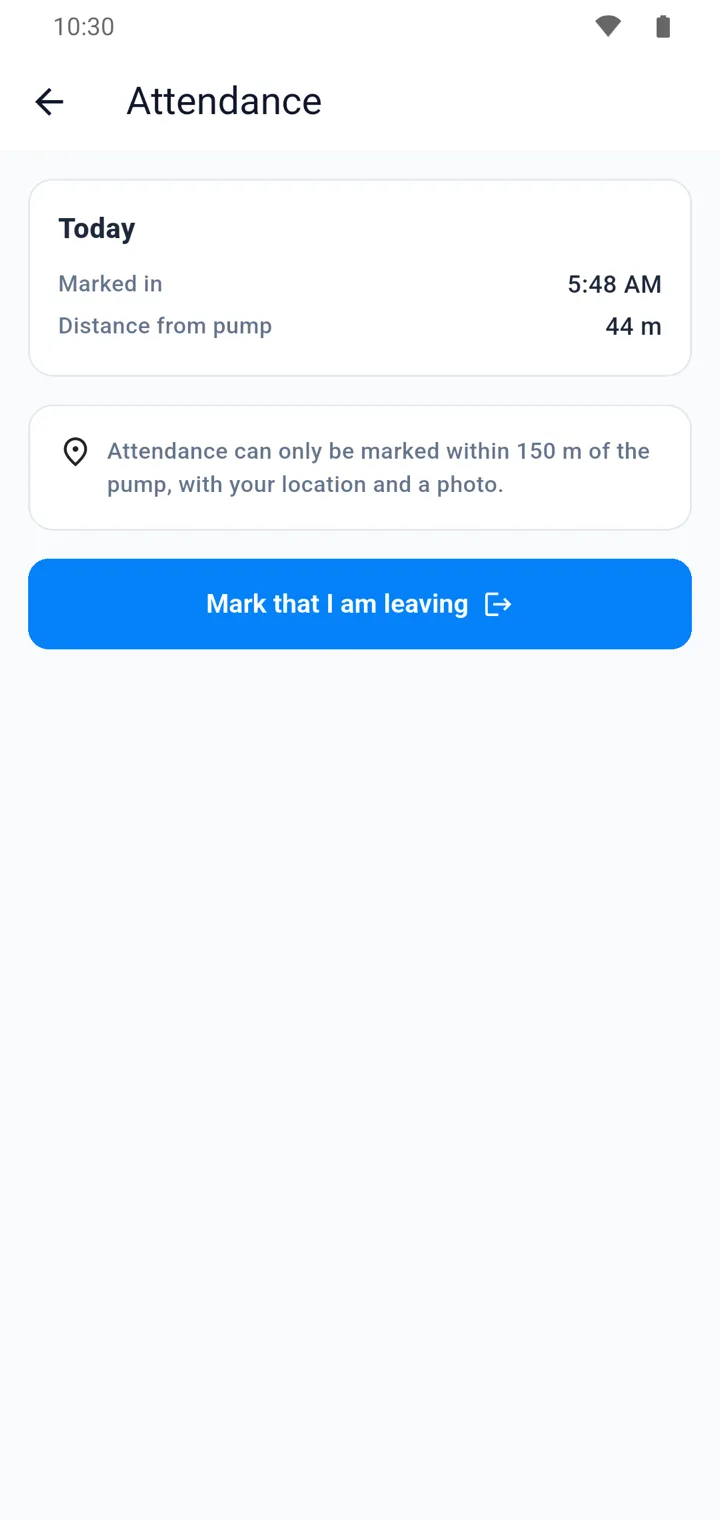
GPS attendance
Attendance is accepted only inside the attendance radius of your pump.
Live photo capture
A live photo is captured when attendance is marked.
Check-in and check-out
With late marking, leave and attendance history.
Assigned nozzle
The nozzle assigned by the manager is displayed automatically.
Fuel requests
View, accept and complete requests sent by credit customers.
Start work directly
The employee starts work on the assigned nozzle without asking anyone.
More about GPS and live photo attendance and shift and nozzle management.
GPS + live photo attendance from your pump location
Make attendance more reliable with location-based verification.
- Pump location setup and attendance radius
- GPS-based attendance validation
- Live photo capture at check-in
- Late marking, leave management and attendance history
Example
If the pump attendance radius is set to 100 metres, an employee can mark attendance only when inside that location.
Credit customer app: balance, transactions and vehicles
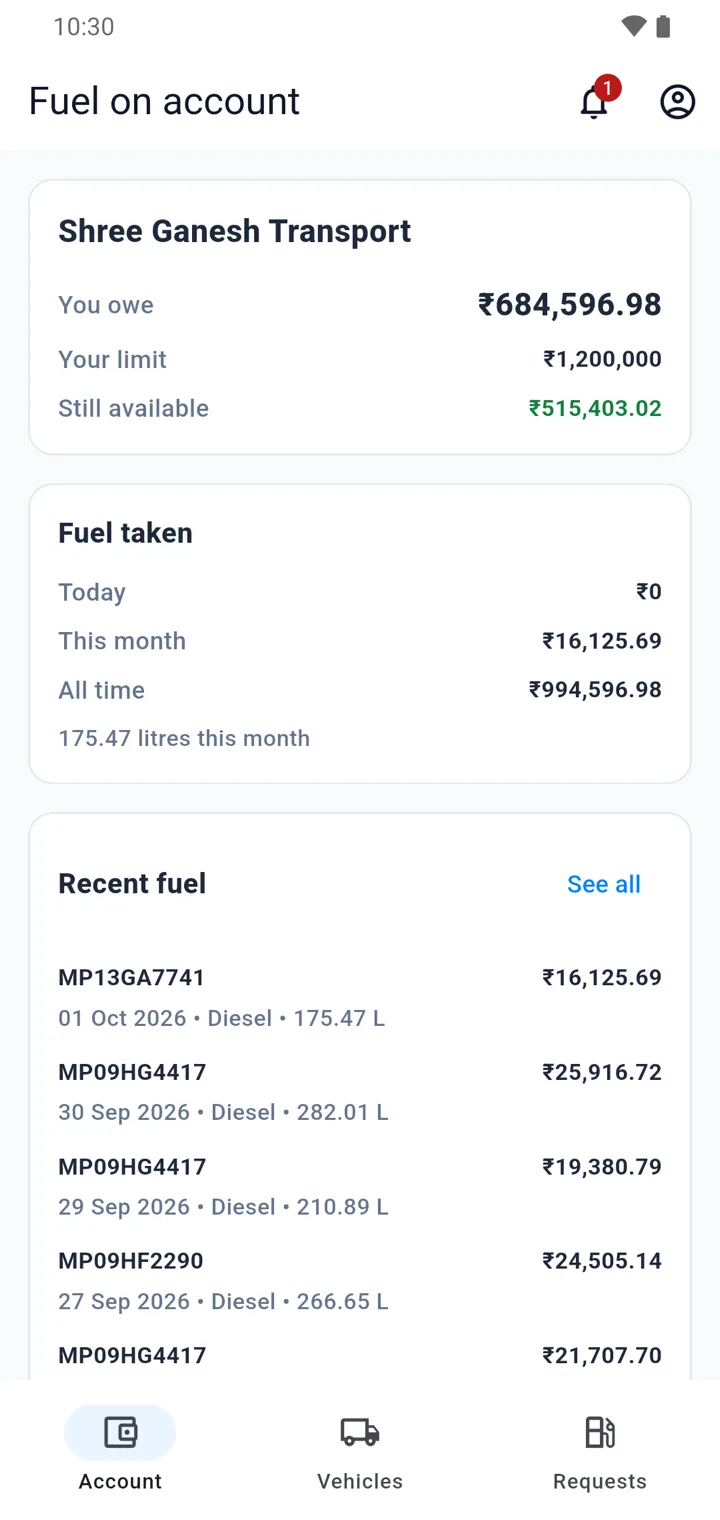
Give credit customers their own mobile access. Fewer calls for you, more confidence for them.
Simple login
Login using the registered mobile number.
Total fuel purchased
See how much fuel has been purchased.
Transaction history
Every transaction at the pump, with date and amount.
Outstanding and payments
Outstanding balance and the payments made.
Vehicles and fleets
Vehicle-wise transactions, with multiple vehicles in one account.
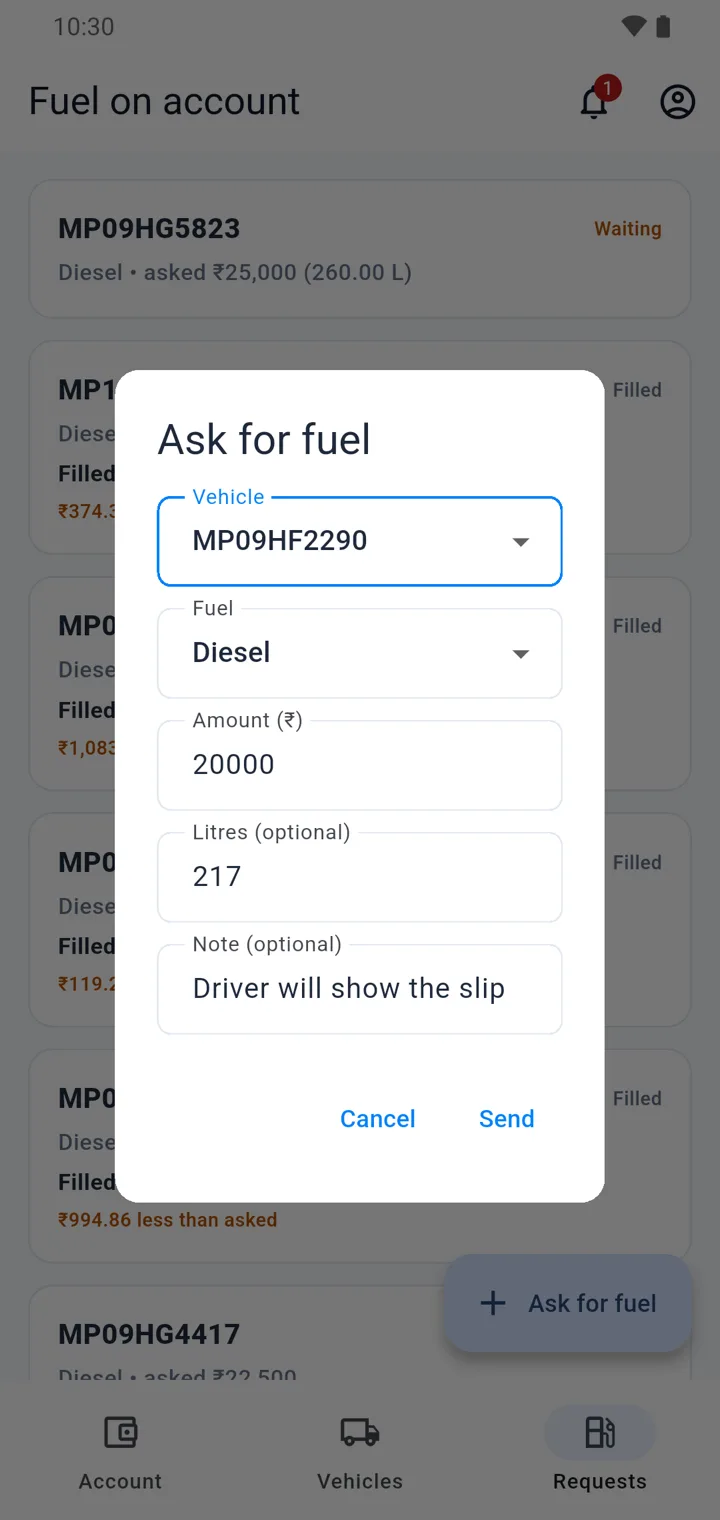
Fuel requests
Request fuel for a specific vehicle from the app.
More about credit customer management and fleet and fuel requests.
Fuel requests without a phone call
Fleet customers communicate their fuelling requirements directly from the app, for the exact vehicle.
-
1
Customer sends the request
For example: “Please fill ₹10,000 diesel in Vehicle MP09XX1234.”
-
2
Staff receive it in their app
Pump employees view the request and accept it.
-
3
Fuelling starts
The employee starts fuelling and enters the actual quantity.
-
4
Transaction is completed
It is linked to the vehicle and customer, and the credit balance is updated.
The app and the software are one system
What happens in the app is already in the office — there is nothing to copy.
Attendance reaches salary
Check-in, check-out and late marks are available for overtime and salary calculation.
Nozzle reaches sales
The nozzle an employee works on is linked to the meter readings and sales of the shift.
Requests reach the ledger
A completed fuel request updates the credit balance and the vehicle-wise history.
Questions about the petrol pump app
Two groups of people. Your pump staff use the app for attendance, their assigned nozzle and fuel requests. Your credit customers use their app to see purchases, balance, payments and vehicles, and to request fuel.
You set the pump location and an attendance radius. The app validates the location through GPS and captures a live photo. If the radius is 100 metres, attendance can be marked only inside that area.
With the mobile number registered at your pump.
The manager assigns employee, nozzle and shift, and the assigned nozzle is displayed automatically in the app. If the manager has not assigned one, authorized employees can select an available nozzle.
The app is part of Sanchay. Book a demo and our team will show you the app and set it up for your staff and your credit customers.
Put your pump in your team's pocket
Book a demo and we will show you the staff app and the credit customer app on a real pump setup.