
Petrol Pump Staff Attendance with GPS and Live Photo
Make attendance more reliable with location-based verification. Staff mark attendance on the mobile app — only from the pump, and with a live photo.
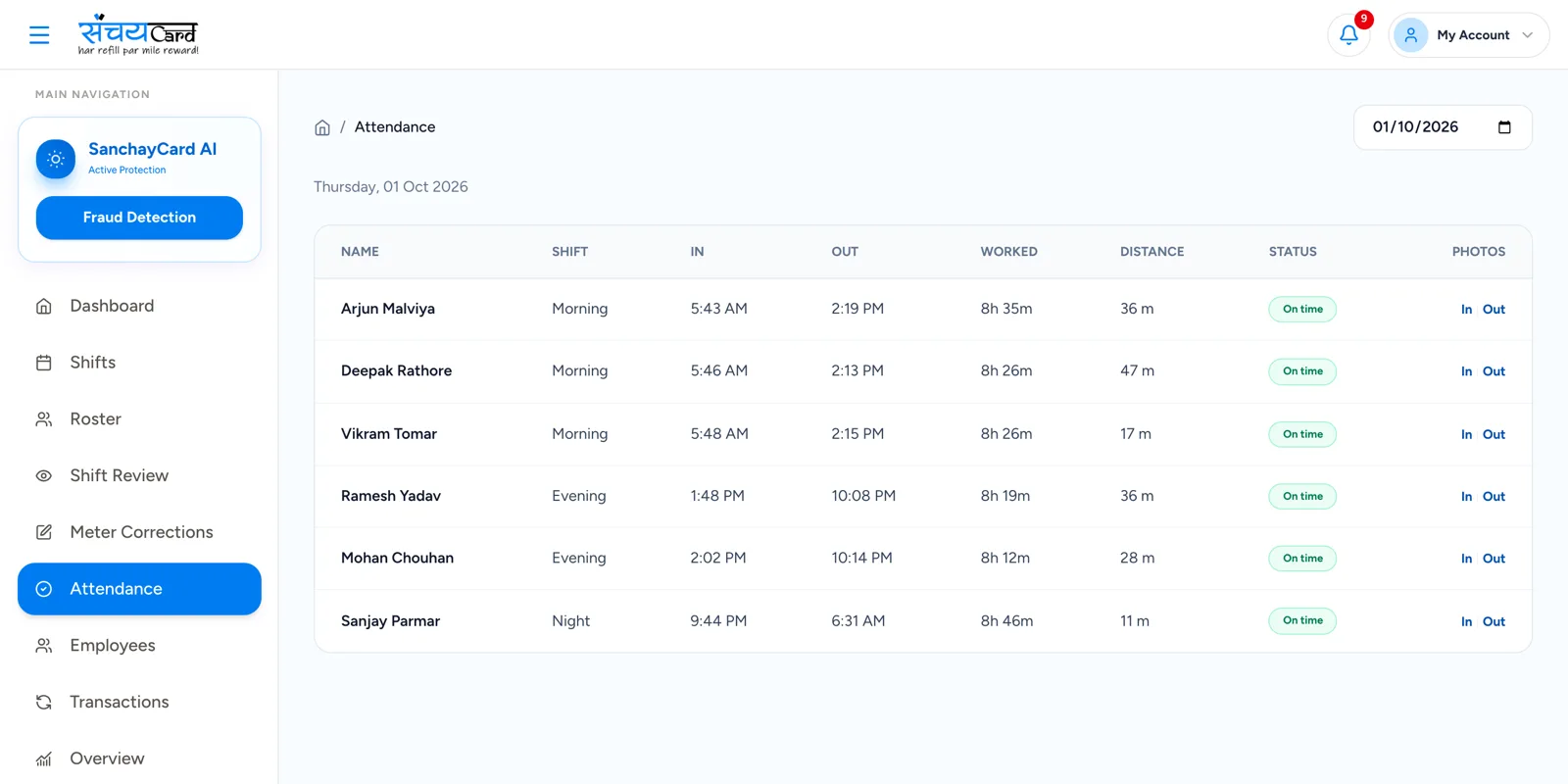
Attendance that is marked at the pump, not on the way
A paper register cannot tell you where the employee was when the attendance was signed, or who signed it. That matters when salary, overtime and shift responsibility all depend on it.
With Sanchay, attendance is marked from the mobile app. You set the pump location and an attendance radius, the app checks the location through GPS, and a live photo is captured at the time of marking.
Petrol pump staff attendance from the mobile app
Mobile attendance
Staff mark attendance from the mobile app.
Pump location setup
The location of your pump is configured once.
Attendance radius
You decide how far from the pump attendance may be marked.
GPS-based attendance validation
Attendance is accepted only inside the configured radius.
Live photo capture
A live photo of the employee is captured during attendance marking.
Check-in / check-out
Both the start and the end of the working day are recorded.
Late marking
Late arrival is marked against the shift timing.
Leave management
Leave is recorded along with attendance.
Attendance history
The attendance record of every employee is kept.
How GPS attendance works
-
1
Set the pump location
The location of the pump is saved in the software.
-
2
Choose the attendance radius
Decide the distance within which attendance is allowed.
-
3
Employee checks in on the app
The app validates the location through GPS and captures a live photo.
-
4
Attendance reaches payroll
Check-in, check-out, late marks and leave are available for overtime and salary.
Example
If the pump attendance radius is set to 100 metres, an employee can mark attendance only when inside that location.
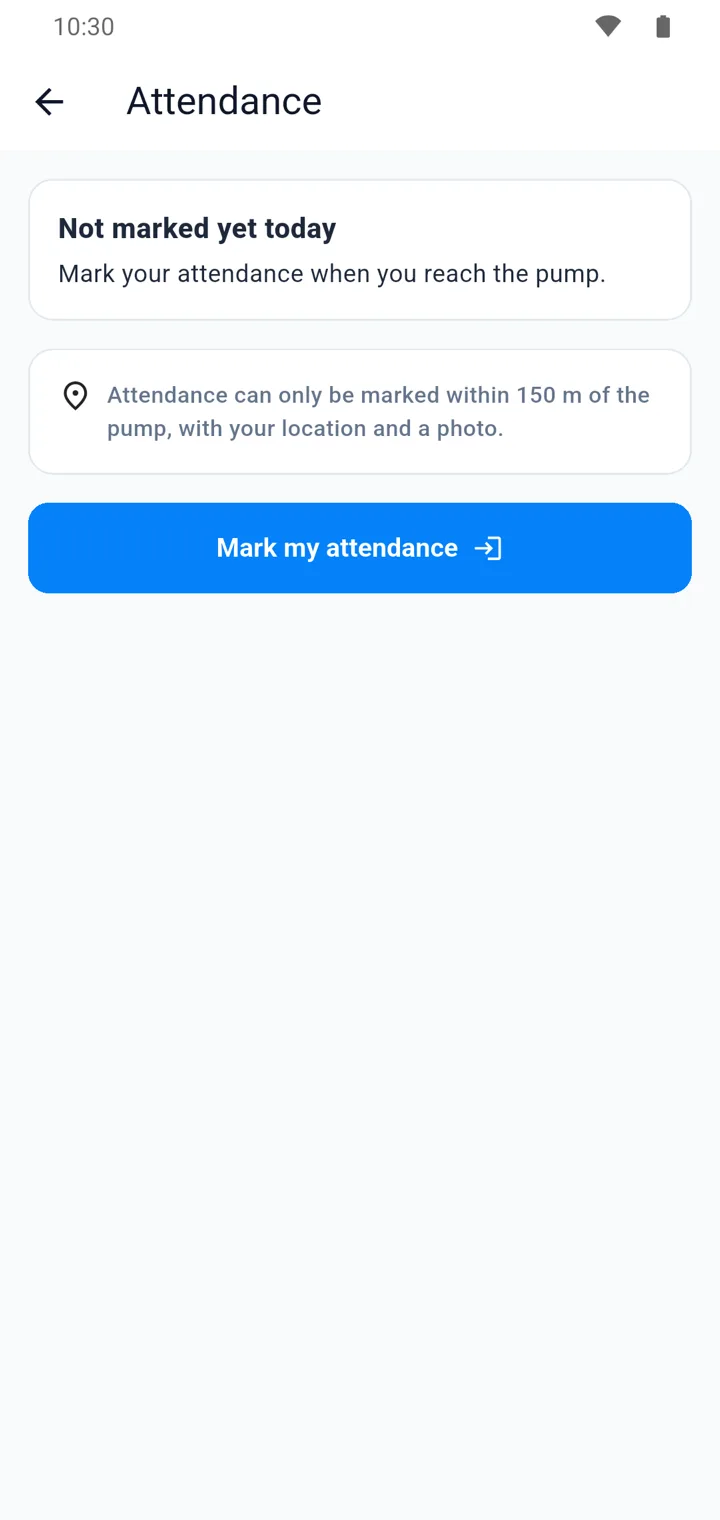
Why it matters
Verified presence
Location and live photo together confirm who marked attendance and from where.
Fair for staff
Working days, late marks and leave are recorded the same way for everyone.
Ready for salary
Attendance history is already in the system when overtime and salary are calculated.
Questions about GPS and live photo attendance
No. Attendance is validated through GPS against the pump location and the attendance radius you have set. Outside that radius, attendance cannot be marked.
The live photo is captured at the moment attendance is marked, so the record shows that the employee was the person who marked it.
You do. The pump location and the attendance radius are part of the setup of your pump in Sanchay.
Yes. Attendance, working hours and approved overtime are available to the salary module, together with advances, deductions and incentives.
Related features
Every module shares the same data, so one entry is never typed twice.
Staff, Overtime & Salary
Manage employee profiles, working hours, overtime, advances, deductions, incentives and salary payments.
Explore staff, Overtime & SalaryShift & Nozzle Management
Assign employees to specific shifts and nozzles, track meter readings and complete shift reconciliation.
Explore shift & Nozzle ManagementRoles, Approvals & Audit Trail
Five roles with the right access, approvals for important changes and a complete activity history.
Explore roles, Approvals & Audit TrailGPS & Live Photo Attendance is part of Sanchay petrol pump app. See all petrol pump software features
See gPS & Live Photo Attendance in a demo
Book a demo with our team and see how Sanchay runs your pump — from shifts and stock to staff and credit.