
Petrol Pump Sales Reports and Business Analytics
Get complete visibility into pump performance — sales, stock, staff, customers, credit and expenses.
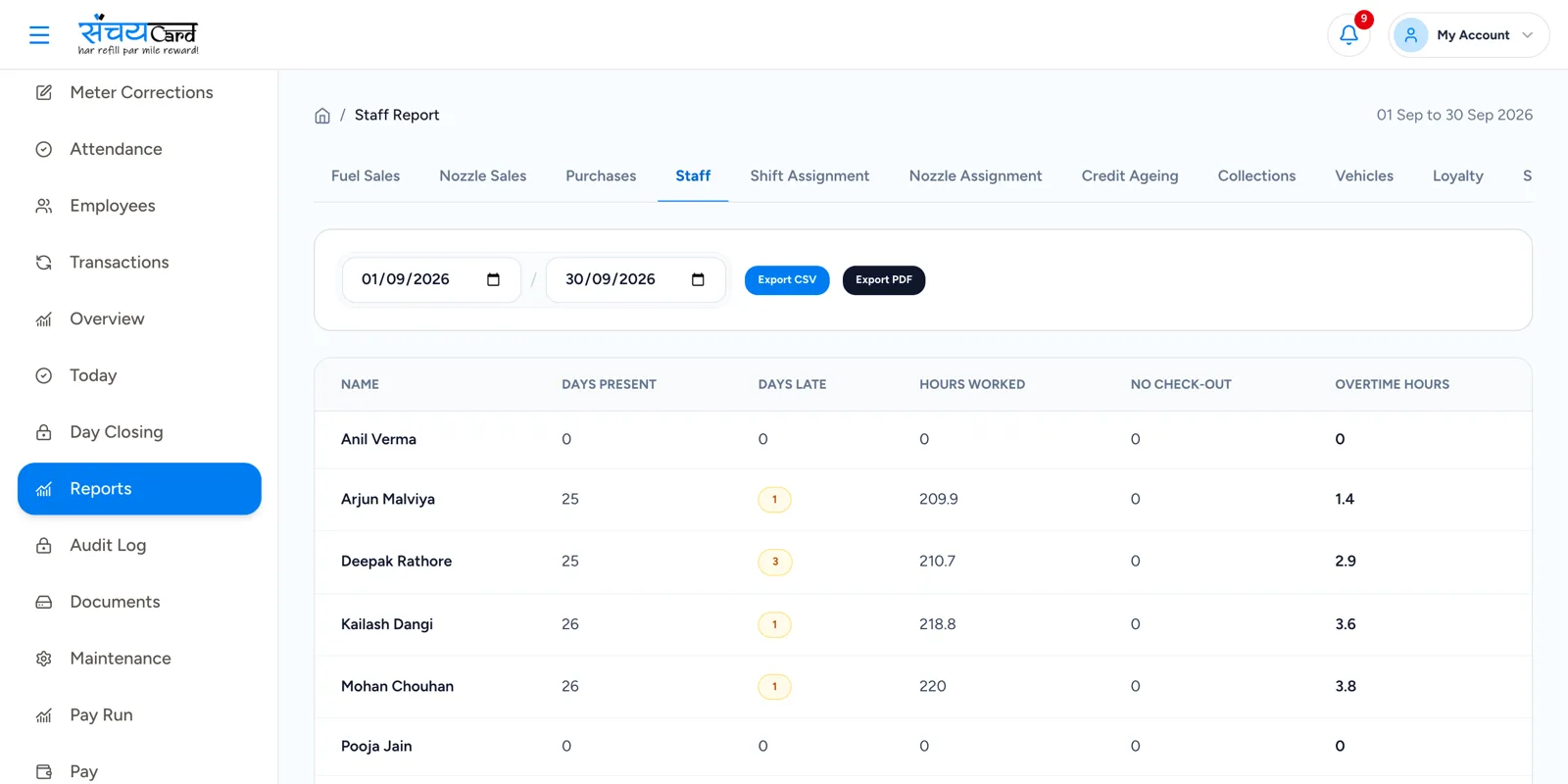
The daily sales report, without the daily writing
Preparing the daily sales report (DSR) by hand means copying readings, adding totals and hoping nothing was missed. Any other report — nozzle-wise, employee-wise, payment-wise — means doing it all again.
In Sanchay reports are built from the entries your team has already made during the day. The same data is shown as sales, stock, credit, loyalty, staff and expense reports, so you can look at the pump from any side.
Six groups of petrol pump reports
Sales reports
Daily, shift-wise, fuel-wise, nozzle-wise, employee-wise and payment-wise sales.
Stock reports
Tank stock, dip report, stock variance, delivery report and stock adjustment.
Credit reports
Outstanding, ageing, collections, customer ledger and vehicle-wise credit.
Loyalty reports
Points issued, points redeemed, rewards and customer activity.
Staff reports
Attendance, overtime, shift history, nozzle activity and salary.
Expense reports
Category-wise, manager, maintenance and payment-wise expenses.
From the entry of the day to the report
-
1
Your team makes the entries
Meter readings, dip readings, deliveries, payments, expenses and attendance are entered during the day.
-
2
Sanchay puts them together
The same entries are arranged by day, shift, fuel, nozzle, employee, customer and payment mode.
-
3
You open the report you need
Choose the report group — sales, stock, credit, loyalty, staff or expense.
-
4
You act on it
Follow up the outstanding, question the variance, reward the best shift.
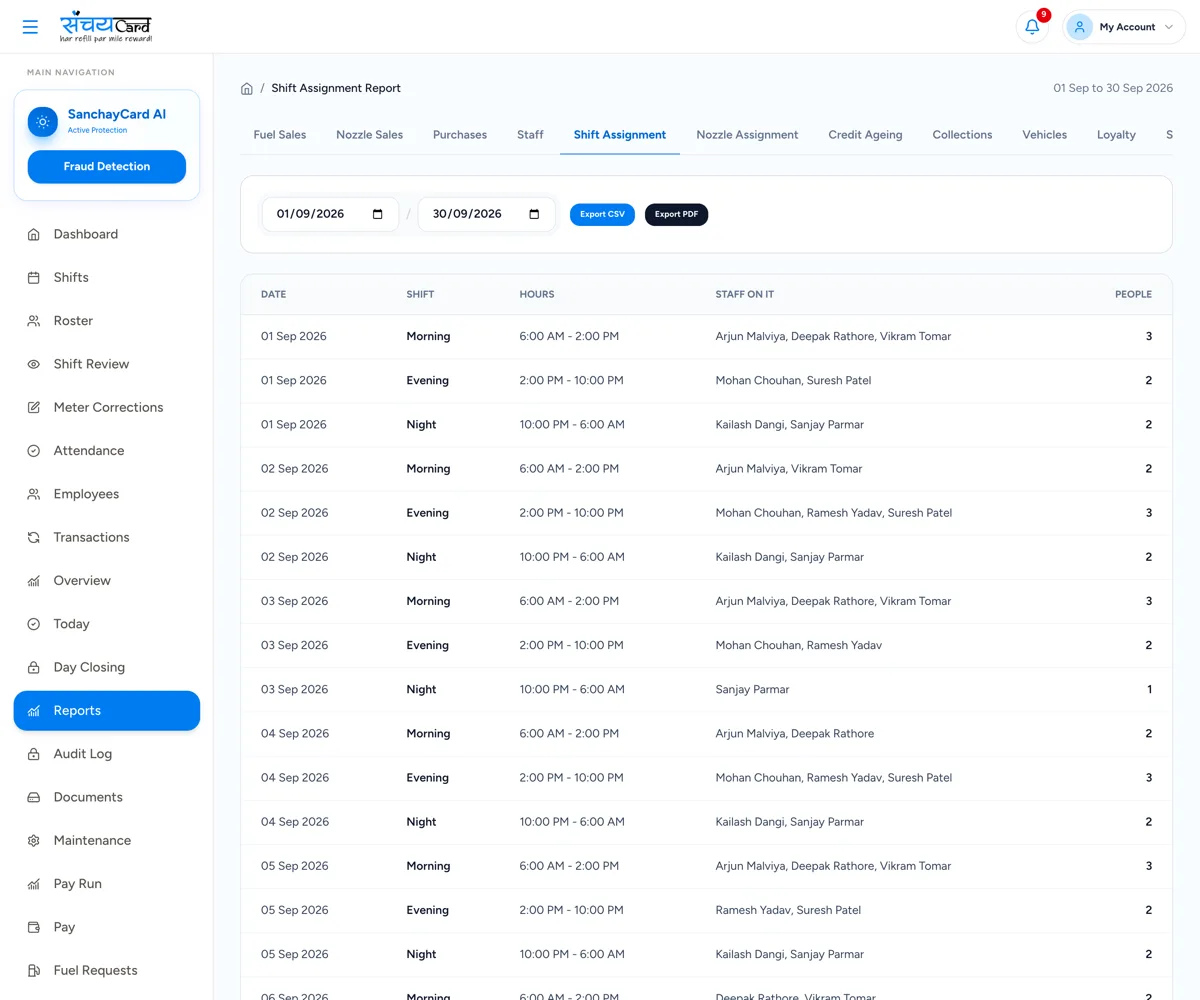
Every report in the list
Operational and financial reports, grouped the way you think about your pump.
Sales Reports
- Daily sales
- Shift-wise sales
- Fuel-wise sales
- Nozzle-wise sales
- Employee-wise sales
- Payment-wise sales
Stock Reports
- Tank stock
- Dip report
- Stock variance
- Delivery report
- Stock adjustment
Credit Reports
- Outstanding
- Ageing
- Collections
- Customer ledger
- Vehicle-wise credit
Loyalty Reports
- Points issued
- Points redeemed
- Rewards
- Customer activity
Staff Reports
- Attendance
- Overtime
- Shift history
- Nozzle activity
- Salary
Expense Reports
- Category-wise expenses
- Manager expenses
- Maintenance expenses
- Payment-wise expenses
Why it matters
Decisions from your own data
See which nozzle, shift, product and customer brings the business.
No separate report writing
Reports come from the entries of the day, so they are ready when the day is.
The owner can be away
Log in and review the reports even when you are not at the pump.
Questions about reports and analytics
Yes. Daily and shift-wise sales reports are available, along with fuel-wise, nozzle-wise, employee-wise and payment-wise sales.
From the entries your staff make in the software and the app — meter readings, dip readings, deliveries, payments, expenses and attendance. Reports show what has been entered.
Access depends on the role. The Accountant role covers expenses, purchases, credit, payments, ledgers and reports.
Yes. Sanchay is online software, so you can log in from a web browser and review the reports from wherever you are.
Related features
Every module shares the same data, so one entry is never typed twice.
Fuel Sales & Meter Reading
Record opening and closing meter readings nozzle-wise. Litres and sale amount are calculated automatically.
Explore fuel Sales & Meter ReadingCash Reconciliation & Daily Closing
Compare expected and actual collection for every shift and day, then approve and lock the day.
Explore cash Reconciliation & Daily ClosingTank & Stock Management
Track tanks, daily dip readings, expected and physical stock, variance and adjustments in one place.
Explore tank & Stock ManagementReports & Analytics is part of Sanchay petrol pump management software. See all petrol pump software features
See reports & Analytics in a demo
Book a demo with our team and see how Sanchay runs your pump — from shifts and stock to staff and credit.