
Petrol Pump Purchase Management and Supplier Ledger
Manage all fuel and non-fuel purchases, and know what you owe to every supplier.
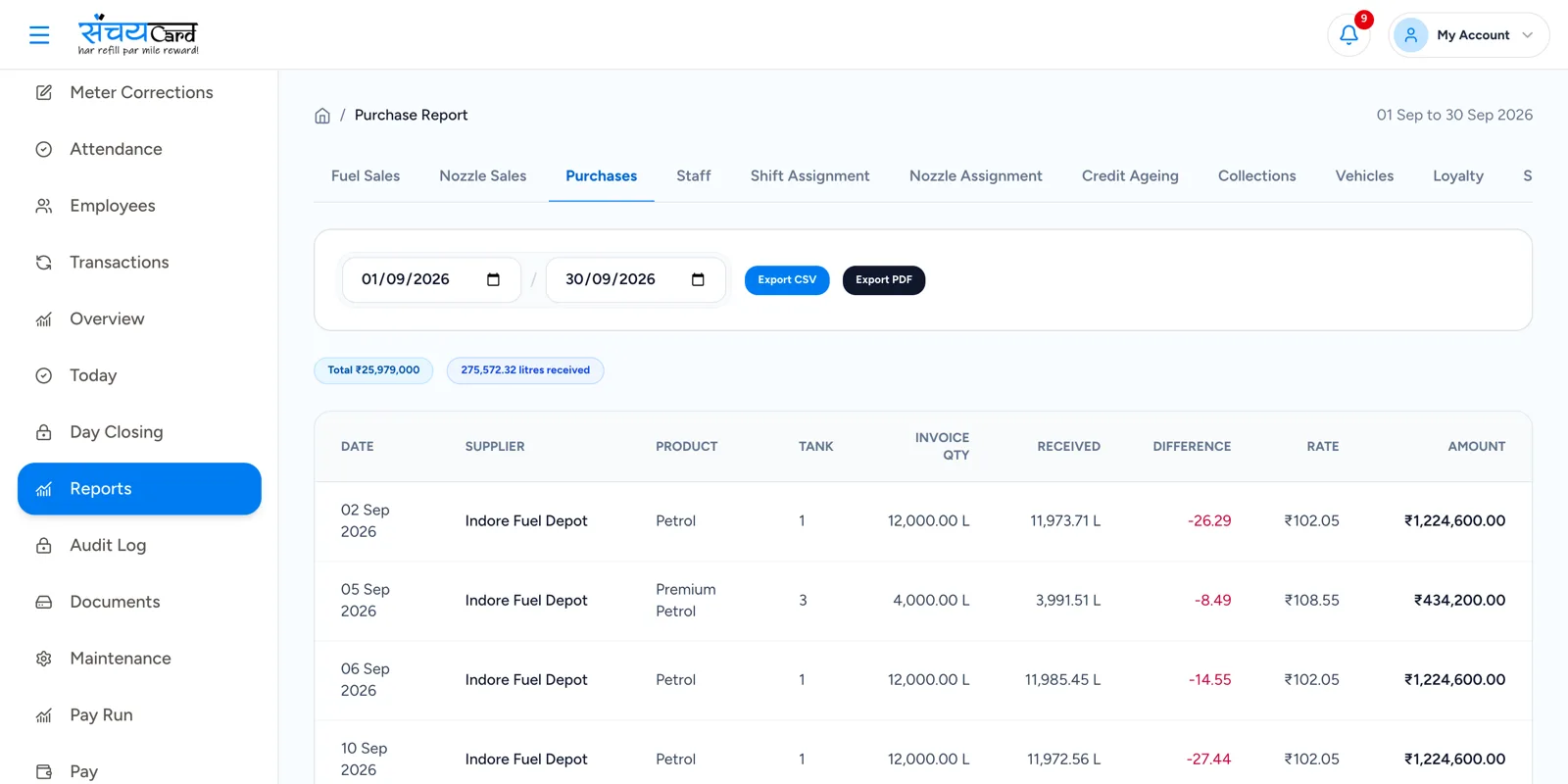
What did we buy, at what rate, and what is still to be paid?
Fuel is the largest purchase of a pump, but it is not the only one. Lubricants, AdBlue and store products come from different suppliers with different invoices and payment terms.
Sanchay records each purchase with its supplier, invoice, quantity and rate, shows the payment status, and keeps a ledger for every supplier — so the outstanding payable is known at any time.
The same records serve the accountant. A fuel purchase is created from the tanker entry, so the invoice quantity and the received quantity stay with the purchase. A lubricant purchase adds to the stock of the product. As payments are made, the payment status of each purchase changes, and the supplier ledger shows what was bought, what was paid and what is still outstanding — without a separate purchase register.
Petrol pump purchase management
Supplier management
Keep the details of every supplier.
Purchase entry
Enter every purchase in the software.
Fuel purchase
Petrol and diesel purchases.
Lubricant purchase
Lubricants and other products.
Invoice management
Invoices are recorded with the purchase.
Purchase quantity
The quantity purchased.
Purchase rate
The rate at which it was purchased.
Payment status
See which purchases are paid and which are pending.
Supplier ledger
A ledger of purchases and payments for each supplier.
Outstanding payable
The amount still to be paid to suppliers.
From invoice to supplier ledger
-
1
Add the supplier
The supplier is created once.
-
2
Enter the purchase
Record the invoice, product, quantity and rate. A fuel purchase can be created from the tanker entry.
-
3
Update the payment status
Mark payments as they are made.
-
4
Check the ledger
The supplier ledger shows purchases, payments and the outstanding payable.

Why it matters
Payables are known
The outstanding payable to each supplier is visible without adding up invoices.
Fuel and non-fuel together
Fuel, lubricant and other purchases are recorded in the same way.
Linked with stock
Purchases and deliveries update the stock they belong to.
Questions about purchases and suppliers
Yes. Purchase management covers fuel purchase, lubricant purchase and other non-fuel purchases.
Purchases are part of the Accountant role, which covers expenses, purchases, credit, payments, ledgers and reports. The Owner has complete control, and every other role sees only what it needs.
Each supplier has a ledger with purchases and payments, and the outstanding payable is shown from it.
Yes. The purchase is created from the tanker and fuel delivery entry, so the invoice and the received quantity belong to the same record.
Related features
Every module shares the same data, so one entry is never typed twice.
Tanker & Fuel Delivery
Record tanker deliveries with invoice details, before and after dip, received quantity and stock update.
Explore tanker & Fuel DeliveryLubricants & Other Products
Manage engine oil, lubricants, coolant, AdBlue and accessories with barcode, stock and reports.
Explore lubricants & Other ProductsExpenses & Maintenance
Track daily expenses, petty cash and approvals, plus repairs, equipment and service history.
Explore expenses & MaintenancePurchases & Suppliers is part of Sanchay petrol pump accounting software. See all petrol pump software features
See purchases & Suppliers in a demo
Book a demo with our team and see how Sanchay runs your pump — from shifts and stock to staff and credit.